
Why Is My PDF So Big? Causes, Space Audit and Fixes
Page count rarely tells the whole story. Use these 15 causes to find what is occupying space before you compress or rebuild the PDF.
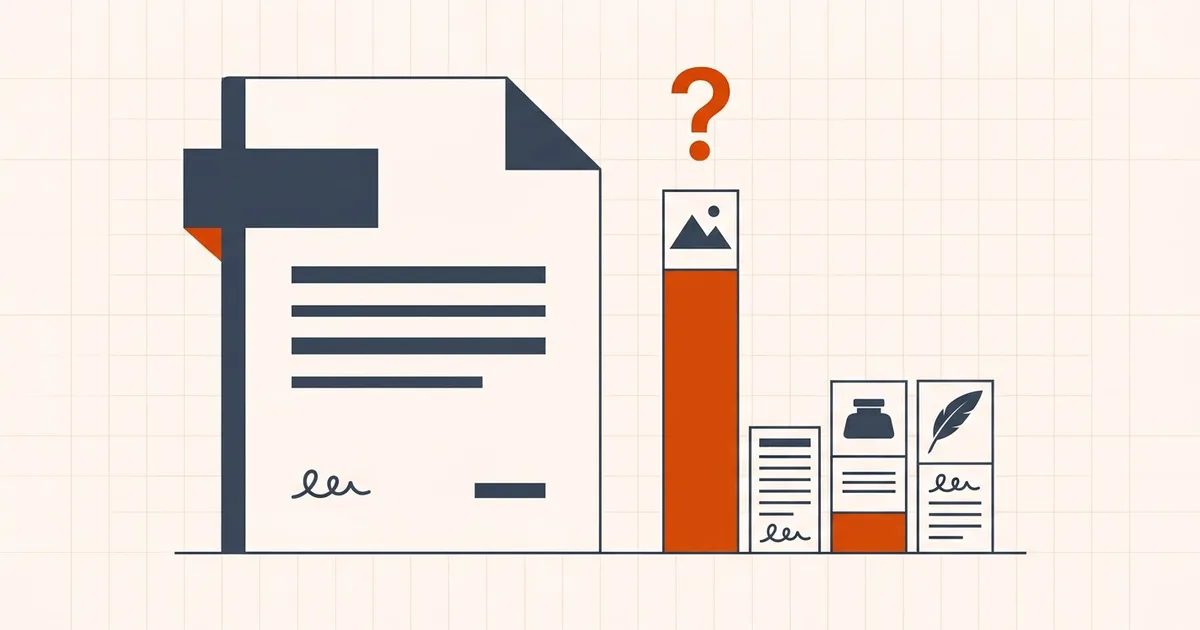
A three-page scan can outweigh a hundred-page text report. The useful question is not “How many pages?” but “What objects did the creator place inside those pages?”
A 30-second diagnosis before you do anything
Start with what you can observe, then run the local PDF space audit when the cause is unclear. It estimates the stored bytes in images, embedded font programs, attachments, metadata and remaining document structure before you choose a fix. A per-page average can be a clue, but it does not reliably identify images, fonts or attachments.
| What you notice | Possible explanation | Next check |
|---|---|---|
| Pages look like photographs | Full-page scans or camera images | Inspect scan detail and try a moderate pass on a copy |
| Text selects but the file is still large | Photographs, an OCR scan, fonts or attachments may coexist with text | Inspect images, font properties and the attachments panel |
| Text does not select | A scan, outlined text, permissions or the viewer may be responsible | Try a capable reader; do not treat selection alone as proof of a scan |
| Size grew after edits or merging | Repeated resources, saved revisions or added content | Re-export from the source, keeping the editing master |
| A large file has only a few pages | One image, attached file or complex drawing can dominate | Audit the actual objects rather than repeatedly reducing JPEG quality |
For a quick checklist, use the 30-second large-PDF answer. This article is the longer causes-and-fixes reference; PDF size explained introduces the container model.
Choose a destination before choosing a size
A document can be inconveniently large without being invalid. Confirm what the recipient actually accepts before discarding image detail.
- Email: check both mail systems and allow for message encoding. Use the email attachment workflow, not a universal claim that a particular on-disk size always sends.
- A 500 KB, 2 MB or 5 MB slot: use target-size compression and compare exact bytes. Its presets are not verified requirements for any named portal.
- A Mac export that came out much larger than expected: the Mac guide covers a separate Preview export and browser alternatives. Keep the original while comparing copies.
- Print, signed or archival delivery: follow the approved document requirements even when the required original is larger.
Is a PDF a document or a container of objects?
PDF files are containers, not flat pictures of pages. The bytes you download describe objects — not just the pages you see — so two PDF documents that look identical on screen can be encoded very differently.
Pages can reference text, raster images, vector artwork, embedded fonts, annotations, attachments, forms, JavaScript, metadata, output intents, and other objects. That is why page count predicts size so poorly: the objects decide, and each object type has its own fix.
How do I inspect what is taking up space?
Before you compress a PDF or attempt to repair it, you need to know which internal component is consuming your storage budget. A PDF is not a monolithic block; it is an assembled collection of discrete streams and objects.
Here is how to check what inside a PDF is taking up the most space — images, fonts or embedded files — before you compress anything, using tools that keep the document on your own machine.
1. Start with the free checks in any reader
- Open File Properties (or Document Properties). Note the total size, page count, producer, fonts and security settings. These provide clues, not an exact byte breakdown.
- Try selecting text in a capable reader. Searchable scans can contain both an image and an OCR layer; a failed selection test can also reflect outlined glyphs or restrictions. Inspect the page as well as testing selection.
- Look at the attachments panel (the paper-clip icon). Embedded spreadsheets, source files and previous versions hide here and are often the single largest object in the file.
2. Run Acrobat's Audit Space Usage if you have Acrobat Pro
Adobe's documented Audit space usage report lists PDF components in bytes and as a percentage of the total. The following menu paths come from Adobe's guide, checked September 27, 2026. 1
- Windows: Menu > Save as Other > Optimized PDF, then click Audit space usage.
- macOS: File > Save as Other > Optimized PDF, then click Audit space usage.
Use the breakdown to identify the largest components; a percentage alone does not prove why those bytes exist or that they are removable. Large fonts do not by themselves prove repeated editing, and document overhead is not automatically unused history. The appropriate fix depends on the source and the document features that must survive.
3. Use free local command-line tools if you do not have Acrobat
The Poppler and qpdf packages are free on Windows, macOS and Linux and never upload the file:
pdfimages -list file.pdf— every embedded image with its pixel dimensions, colour space, DPI and compressed size. Sort by size and the culprits are obvious.pdffonts file.pdf— every font, whether it is embedded and whether it is subsetted. Embedded-but-not-subsetted fonts are reclaimable space.pdfinfo file.pdf— page count, producer, encryption and whether the file is optimised.qpdf --show-npages file.pdfreports page count;qpdf --json file.pdfexposes structured PDF information for more detailed investigation. These are installed command-line tools, not built-in BytesPDF features.
A properties panel is not a full byte audit. For a separate test export on a Mac, use the Preview and browser workflow and keep the original for comparison.
4. Turn the finding into an action
| Audit result | What it means | Right fix |
|---|---|---|
| Images dominate | Scans, photos, screenshots | Downsample and recompress the images — this is what a PDF compressor does |
| Fonts dominate | Many typefaces or full embedding | Re-export from the source with subsetting on, or use a font-aware optimiser |
| Attachments dominate | Files embedded in the PDF | Remove or extract the attachments; compressing pages will not help |
| Overhead dominate | Incremental saves, orphaned objects | Save a clean copy (Save As, not Save) or rewrite the file |
| Nothing dominates | Already efficient | Stronger compression will only add artifacts; split the document instead |
Avoid "analyse my PDF online" services for anything sensitive: uploading a bank statement to see its breakdown moves the whole document to a third party. Every method above runs locally. For a quicker local estimate, use the PDF space audit; for a shorter reader and command-line checklist, see how to check what is taking up space in a PDF.
What are the 15 causes — and the right fix for each?
- High-resolution images and photographs. Camera photos and scans stored as high resolution images of 300–600 DPI are far denser than any screen displays. Large images are also why a deceptively short report can be a large file: resize or recompress them for the intended viewing size, while retaining the source images.
- Full-page color scans. Rescan with an appropriate resolution and color mode when the original paper is available, or test image recompression carefully. Many mobile scanner apps default to full color at high DPI, so a five-page receipt can balloon — check the capture settings first.
- Lossless images used for photographs. A photographic image may be much larger in a lossless format; switching encoding can help but is lossy, so when you compress photo data, match the quality to how the page will actually be viewed.
- Many separate images. Reports, catalogs, and slide decks can accumulate substantial image data even when each image seems modest.
- Full embedded font programs. Export with font subsetting in the source application. BytesPDF does not subset fonts.
- Duplicated resources. Re-export from the source tool if it embeds repeated copies instead of sharing objects. BytesPDF does not promise complete object deduplication.
- Embedded attachments. Remove an attachment only when it is unnecessary and the document's purpose allows it.
- Interactive form fields, annotations, or scripts. A fillable application form or a stamped review copy is legitimate functionality. Do not flatten or remove form fields merely for size without understanding the consequence — flattening destroys the fillable behavior.
- Large color profiles or output intents. Print workflows may require specific color spaces — for example an ICC profile describing the CMYK output intent — and a single profile can outweigh the text of an entire report. Ask the printer before stripping color-management data.
- Layers and transparency. Complex design exports can carry additional resources. Re-export from the design source with an appropriate preset.
- Incremental saves and editing history. A clean export or “save as” operation in the authoring tool may rewrite the file more efficiently.
- Print-to-PDF output. Printing can lose links, forms, tags, and other semantics or create less efficient content. Prefer a proper export when the source application provides one.
- Oversized page thumbnails or previews. Some producers store auxiliary images. Use a trusted optimizer that shows what it will remove.
- Poorly chosen export settings. A press-quality preset is inappropriate for some screen-only distribution copies, while a screen preset may be wrong for print.
- The file is already efficient. A text-heavy or previously optimized PDF may have little safe room to shrink. A tiny change is not a failure.
Where do the bytes actually go? Three heavy components
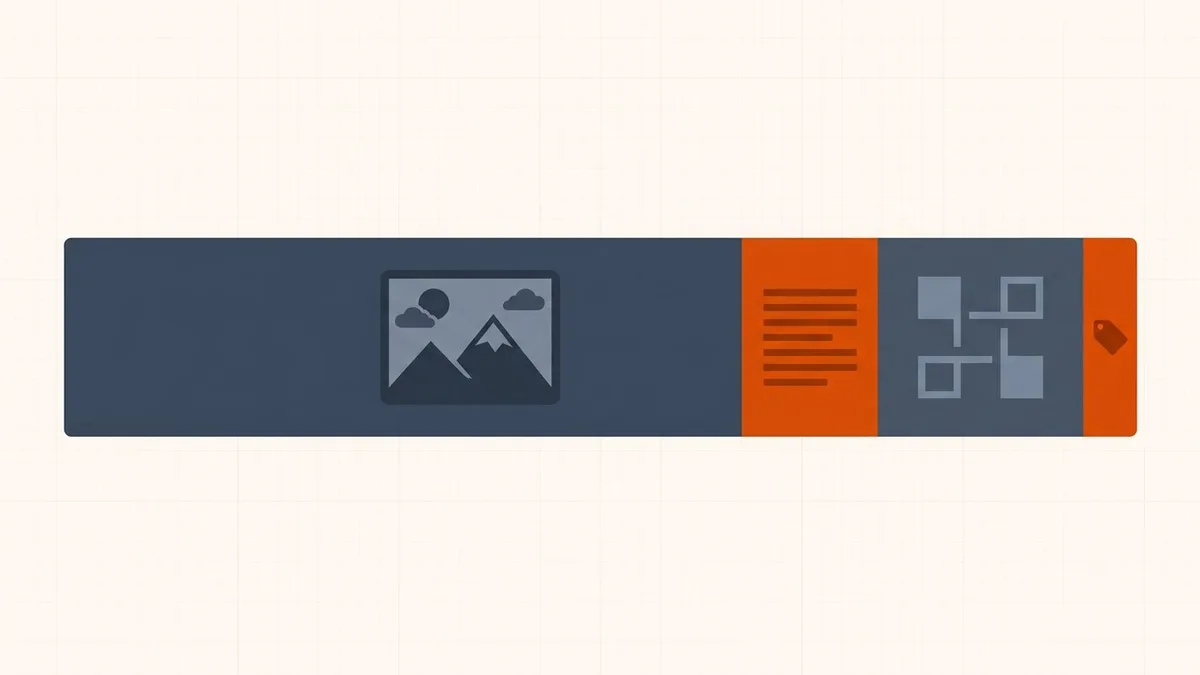
Three components dominate oversized PDFs far more often than raw page count: font programs written without subsetting, private editing data retained by design applications, and dense vector artwork serialized as drawing instructions.
Do embedded fonts make a PDF bigger?
Yes — when the producing application embeds the complete font program instead of only the glyphs actually used. A single embedded Latin typeface commonly adds hundreds of kilobytes, and CJK fonts can add several megabytes each.
The PDF specification expects producers to subset fonts: write only the glyphs the file uses, tagged with a six-letter prefix such as ABCDEF+FontName. Two failure modes inflate files. First, some export paths skip subsetting entirely and ship the full font program. Second, every editing session subsets independently, so a document assembled from many edits or merges can accumulate several overlapping subsets of the same family — ABCDEF+Inter alongside GHIJKL+Inter — each carrying its own embedded data. You can see this with the free pdffonts utility (part of Poppler), which lists every embedded font with its subset status.
The fix lives in the source application: re-export with subsetting enabled, or rebuild from the original document. Because font rewriting can change rendering, BytesPDF does not subset or deduplicate fonts — see why repeated editing makes fonts a size driver for the detailed mechanics.
Does hidden editing data stay inside the file?
Yes, unless it is deliberately stripped. Two common PDF features keep authoring information inside the distributed file, and both add bytes invisible to a reader.
- Application private data. Adobe Illustrator's "Preserve Illustrator Editing Capabilities" option embeds a private copy of the native artwork inside the PDF (as document piece info / Private data). Photoshop's equivalent option does the same with PSD editing data. The file can be dramatically larger than the visible export because it carries two documents: the printable PDF and the editable source.
- Incremental save history. The specification allows applications to save updates by appending new object versions after the existing file body instead of rewriting it. Each quick "save" layers more byte ranges onto the file — and superseded content can remain recoverable, which is a privacy consideration as much as a size one.
The remedy is a full rewrite: "Save As" or a fresh export in the source application. Keep the editing-capable original in your archive and distribute the rewritten copy. Because that superseded content stays recoverable, this is a disclosure question as much as a size one — removing hidden data from a PDF covers what survives an ordinary export, and comments and annotation history deals with the review threads that travel with it.
Why does complex vector artwork weigh so much?
Vector pages do not store pixels — they store instructions. Paths, curves, clipping masks, shading patterns, and graphics-state changes serialize as operator streams, and a dense CAD sheet, map, or illustration can contain millions of them.
Stream compression helps but has limits here, and transparency flattening during export can split artwork into thousands of small atomic regions, each with its own graphics state. Image-focused compression cannot touch these streams at all. If the recipient permits, a controlled rasterization or a simplified re-export from the design source is the realistic fix — with the usual warning that rasterizing removes selectable text, so weigh whether the output must stay searchable first.
What order should I diagnose a large PDF in?
- Identify whether pages are scans or searchable born-digital content.
- Check for many photographs, full-page scans, attachments, forms, and specialist print features.
- Return to the source document when possible; a clean export is often more controlled than repairing a finished PDF.
- Use compression only on a copy, then compare the result in a representative viewer.
What can BytesPDF address — and what stays untouched?
BytesPDF is most relevant when supported embedded images are a meaningful part of the file — the scans, photographs, and losslessly-encoded pictures from the lists above. It re-encodes those images and rewrites the PDF, and it reports the before/after sizes so you can judge the result on a copy.
The entire pipeline runs inside your browser tab. The file is read into your browser's memory; image decode and re-encode run on background threads that keep the page responsive, using WebAssembly codecs such as MozJPEG; the document is then rewritten with compact object streams; and the finished file is handed to you as a local Blob URL. The selected document content is not uploaded; scripts and other site services can still make network requests. Browser memory and the published input limits constrain the job: up to 150 MB on desktop or 50 MB on mobile, sometimes less for complex files.
Equally important is the boundary. The compression tool does not provide font subsetting, OCR, full object garbage collection, a full Acrobat-style preflight, or PDF/A validation — so font-heavy, editing-history-heavy, or vector-heavy files from the deep dive above may shrink little. The local PDF space audit estimates which stored component dominates, but it does not make a component safe to remove. Those limits explain why results vary between files. When you are ready, test a copy in the browser-based compressor and inspect the output before distributing it.
How to reduce it once you know the cause
The diagnosis above decides the method; the method decides the tool. Every PDF compression tool does the same basic thing — it rewrites the objects inside the container — so what a given compress tool is able to rewrite determines how much reduced file size it can deliver. Image compressors cannot shrink font programs; optimizers that rewrite structure cannot improve badly encoded scans.
- Images dominate — recompress a copy. The step-by-step, including which compress quality level to pick and what to inspect afterward, is in how to reduce PDF file size online for free. When the destination enforces a hard ceiling rather than a preference, work to the number instead: compressing a PDF to an exact size. If the images came from a camera or phone in the first place, PDF versus image compression explains why resizing them before the PDF is built beats squeezing the result. The aim is a PDF file smaller than the destination's cap without compromising quality anyone can actually see — if you need to reduce the size of a large PDF file substantially, start moderate, because scans that must stay legible degrade at the small print first.
- Fonts, editing data or attachments dominate — go back to the source application and re-export with subsetting on and editing capabilities off, or remove the attachment. No image compressor fixes these.
- Vector artwork dominates — simplify or rasterize from the design source, if the recipient allows a non-searchable page.
- The file is a scan that is simply bad — fixing the scan often removes more bytes than any compressor does, because noise, a grey background and skew all cost space: blurry pages, a grey background that should be white, blank pages a feeder inserted.
- No useful reduction is available — keep the readable copy. Ask whether the recipient accepts an approved restricted-access link, a different export or separate files; do not silently omit required pages.
The choice between a browser-local tool, an upload-based service, a desktop application, or an “AI” compressor matters most when the document is a bank statement, contract, medical record or passport scan. Online, desktop and AI PDF compression compared sets out what each approach does to the file and where the file goes while it happens.
Frequently asked questions
How do I check what inside a PDF is taking up the most space?
You can inspect a PDF using PDF reader properties panels, advanced preflight tools in professional PDF editors, or command-line inspection utilities. Check whether megabytes are consumed by high-resolution raster images, full embedded font programs, hidden attachments, or incremental save history before choosing between image compression and source re-export.
Why is my PDF so big when it only has a few pages?
A PDF is a container. A few pages can hold high-resolution scans, photographs, fonts, attachments, forms, color profiles, and editing data. Those objects matter more than page count. A single full-page color scan at 300 DPI can outweigh a hundred pages of typed text.
How do I make a large PDF smaller for email or an upload portal?
First find out what is using the space. If the file is a scan or contains photographs, recompressing those images in a browser-local tool usually gets it under email and portal limits. If fonts, attachments, or editing history dominate, re-export from the source application instead. Keep the original and check the small print in the output before sending.
Can I reduce PDF size without losing quality?
Sometimes. Removing editing history, duplicated resources, and unused objects is lossless. Reducing image resolution or JPEG quality is not, but for a 300 DPI color scan read on screen the difference is usually invisible. Vector text is never rasterized by BytesPDF, so typed documents keep their sharpness.
What is the most common cause of a large PDF?
Large or numerous embedded images are common, especially full-page scans and camera photos, but the only reliable answer for a specific PDF comes from inspecting its contents and creation workflow.
Will compression affect text?
Born-digital vector text is not rasterized by BytesPDF, but scanned text is image data and can soften. Rewriting can also affect complex document structures, so inspect search, copy, fonts, links, and interactive form fields afterward.
Why did my PDF barely shrink?
It may already be optimized, contain little supported image data, rely on formats the current compressor does not rewrite, or be dominated by fonts and structures rather than images.
Related comparisons
Source-led comparisons written by BytesPDF, with the conflict of interest disclosed on each page. They link official provider documentation rather than fabricated tests.