
Why PDF Text Stays Sharp When You Zoom (Vector Redraw vs Raster Pixels)
Same page, two zoom behaviors: type stays razor-sharp while the photo turns to mush. Vectors are instructions; rasters are snapshots. The page holds both at once.
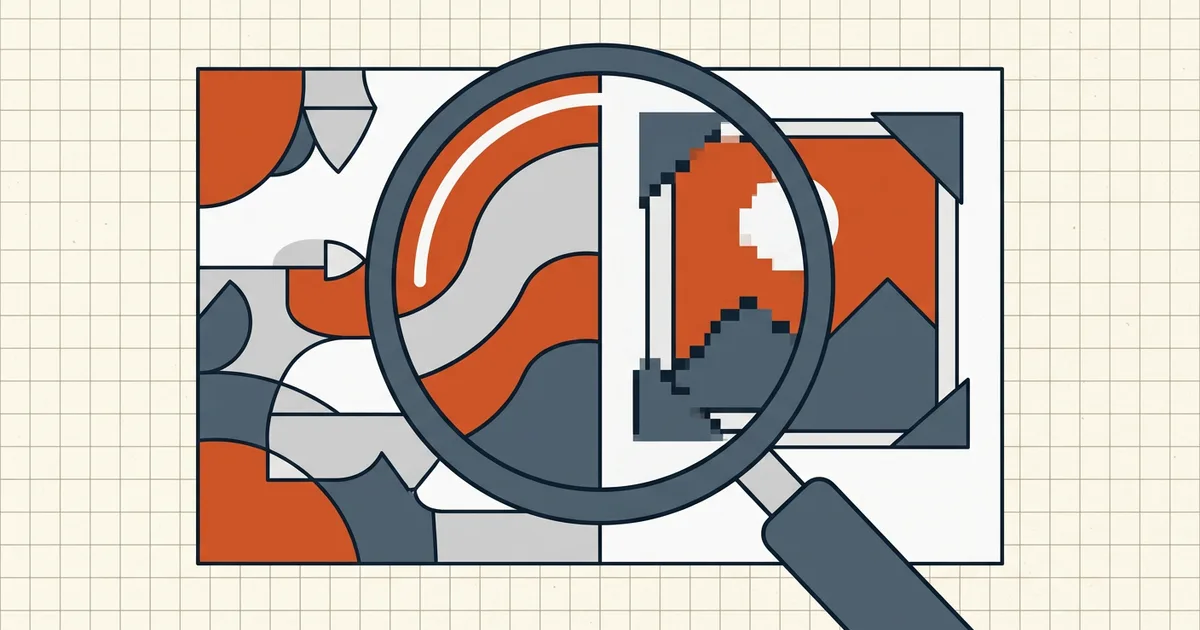
Zoom to 600%. The headline is still geometrically crisp. The product photo beside it is oatmeal. Same page, same file — two storage philosophies riding in one container.
Instructions vs snapshots
| Vector text/lines | Raster images/scans | |
|---|---|---|
| Stored as | Outlines, coords, font programs | Fixed grid of pixels |
| Zoom behavior | Re-drawn every frame | Stretched / smoothed |
| “Resolution” | Device-dependent | Locked at capture |
| Size cost (text docs) | Low | High per page |
| Search/copy | Yes (if not outlined) | Only after OCR |

Practical consequences
- Print at 300 DPI? Vector type doesn't care; embedded photos do. Effective PPI of placed images decides photo print quality — not the words.
- Compress once, verify at zoom: images soften with aggressive settings; text shouldn't (post-compress check). If text softened, the tool rasterized — different bug, different fix.
- Rasterizing is sometimes the point (PDF→JPG, flatten for stamps). Know when you're crossing the one-way bridge (JPG export).
- Scans are raster from birth — fix capture DPI, not zoom level (blurry scans).
My capture intuition
“Infinite zoom” applies to type, not to photographs of type. A scanned contract at 96 DPI will never zoom like a Word export — regardless of how PDF-ish the container claims to be (born-digital test).
Honest BytesPDF scope
Compress re-encodes images only; vector text paths stay vector (documented). No raster-to-vector tracer (documented boundary) — you can't turn a scan back into outlines any more than you can un-bake a cake.
What "redraw" means in practice
At 50% zoom the renderer samples glyph outlines coarsely; at 400% it samples them finely — same outlines, denser grid. That's why type scales without the staircase artifacts you see scaling a JPG. The detail was never "stored at 400%"; it's computed on demand from curves.
Images can't do that trick. A 96-DPI photo has whatever neighbors its pixels captured. Upscaling interpolates; it doesn't recover edges. When users say "this PDF is half broken," they're often describing exactly this split — and the file is fine (type test).
Diagnosing unexpected softness
| Symptom | Likely cause | Next read |
|---|---|---|
| Photos soft, type fine | Normal raster limits | Capture DPI / blur guide |
| Type soft after a tool run | Rasterization path used | Avoid flatten/print-to-image for that task |
| Everything soft only at high zoom | Expected for images; type should hold | Verify type with select-test |
| Soft after compress | Image downsample setting too hot | One compress pass, medium, then verify |
Deliverable strategy
Keep PDF masters for anything type-sharp may matter later; export JPG/PNG at target DPI for web slots (JPG export). Compress for size without crossing into rasterization (compression guide). Zoom sharpness is a routing signal: vector paths want print/OCR workflows; raster paths want capture-quality fixes.
Frequently asked questions
Why is text sharp at 800% zoom?
The file stores glyph outlines (or font programs) plus positions — instructions, not pixels. At every zoom the reader re-rasterizes those curves for your current screen. More zoom = more detail computed, not more detail stretched.
Why do photos and scans go soft?
They're bitmaps with a fixed pixel count from capture/export. Zoom past their resolution and the viewer invents pixels (bilinear smoothing or blocky nearest-neighbor). Physics: detail that was never recorded can't be redrawn.
Can a PDF be both?
Almost always is — vector text/lines with embedded JPEG/TIFF images. Half the page crisp, half mushy at 400% is normal, not corruption. Whole-page mush usually means a scanned/image-only PDF ([type test](/blog/scanned-pdf-vs-birth-digital)).
Does compressing make vector text blurry?
A well-behaved compressor re-encodes images and leaves vector text alone ([compression guide](/blog/what-is-pdf-compression-complete-guide)). Pathologies: full-page rasterization (some print/flatten routes), or editors that redraw the page as an image. If text softens after a tool run, suspect rasterization, not 'compression.'
Does BytesPDF keep vectors sharp?
BytesPDF Compress re-encodes embedded images per profile and does not rasterize vector text (documented behavior). PDF→JPG *intentionally* rasterizes everything at your chosen DPI — that's the trade that format demands ([image export guide](/blog/convert-pdf-to-jpg)).
Related comparisons
Source-led comparisons written by BytesPDF, with the conflict of interest disclosed on each page. They link official provider documentation rather than fabricated tests.