
UK Visa Documents: Uploads, Printing and Barcode Sheets
Check the limit on your UKVCAS or VFS upload screen, organise evidence by the requested categories, and follow your appointment's printing instructions.
Short answer: use the file-size limit, formats and categories shown in the upload service linked to your application. A provider name alone is not a file-size specification. For paper scanning, follow your centre's instructions on single-sided copies, paper size and barcode separators rather than applying an online-upload checklist to a paper bundle.
Which upload service should you use?
For applications inside the UK, GOV.UK's UKVCAS guidance explains the choice between uploading supporting documents and having them scanned at an appointment. Its current service-point link leads to TLScontact's UKVCAS service. Do not assume an old Sopra Steria guide still describes today's interface. For EU Settlement Scheme applications, GOV.UK says evidence must be uploaded online and cannot be scanned at the UKVCAS appointment.
For applications outside the UK, start with GOV.UK's visa application centre finder and the link supplied after your application. Use the guidance for the correct country, destination and visa route, not a bookmarked provider page for a different location.
UKVCAS is a service, while TLScontact is its current operator; treating those as unrelated portals can lead to the wrong instructions. VFS Global also operates many different country and destination services.
Printing UK visa documents: single-sided or back to back?
Self-upload and assisted scanning are different tasks. For self-upload, the important check is whether the digital document contains every required page and both sides of any two-sided evidence. You do not need to print evidence merely to scan it again.
For assisted paper scanning, single-sided copies are a practical precaution unless your centre tells you otherwise: they reduce the chance of a reverse side being overlooked. This is not a blanket UKVI requirement. Check the written instructions before preparing a large paper bundle, and flag any original two-sided document to the scanning operator.
Do not interpret self-upload as permission to leave your passport at home. The GOV.UK UKVCAS appointment checklist asks for a printed appointment confirmation with its QR code and your passport or travel document, plus supporting documents unless already uploaded. Other routes can have different paper requirements.
If an ordinary evidence copy prints with clipped edges, see how to fix PDF printer cutting off edges. If an appointment or barcode document specifies exact scale, do not shrink it to work around the wrong paper setting; follow the issuer's instructions.
Find the actual UKVCAS or VFS Global upload limit
The public GOV.UK and VFS supporting-document pages reviewed here do not establish one provider-wide cap that can safely be applied to every UK visa upload. This guide therefore does not present a universal numeric limits table.
Before changing a document, record what your account actually shows:
| Check | Where to confirm it | What to do with it |
|---|---|---|
| Maximum file size | The specific upload field or its help panel | Set a target below that ceiling, with room to spare |
| Accepted extensions | The same upload screen | Convert unsupported source formats before uploading |
| Per-file versus total limit | The field and account instructions | Do not mistake a per-file allowance for a whole-bundle allowance |
| File count and categories | Your application checklist and category controls | Keep documents separate or merge only as instructed |
| Upload deadline and submission step | Your confirmation and portal instructions | Finish the required save or submit steps before the stated deadline |
| Password, signature and form rules | The recipient's document instructions | Preserve required originals; do not rewrite blindly |
A safety margin is useful, but it does not fix an expired session, unsupported format or incomplete submission. Nor does a file being below the ceiling prove that the evidence is acceptable.
UKVCAS document upload categories: follow your checklist
The categories can depend on the application. The following groups help you organise files; they are not a list of evidence everyone must submit:
| Document group | Possible examples | Organisation reminder |
|---|---|---|
| Identity and travel | Passport pages and requested travel evidence | Retain every page and side the instructions request |
| Financial evidence | Bank statements and payslips | Keep the statement period and page sequence intact |
| Work or study | Employer letters and qualification records | Use the category displayed in your own account |
| Relationship or accommodation | Certificates, correspondence or housing evidence | Do not combine unrelated evidence merely to reduce file count |
| Other route-specific evidence | Documents named in the application checklist | Do not treat this as a catch-all for missing categories |
VFS's Pakistan-to-UK supporting-document guidance also directs applicants to the GOV.UK checklist and the upload-page instructions. That is a scoped example, not proof that every VFS destination has identical categories or technical limits.
Where UK visa barcode separator sheets belong
Barcode separators are routing sheets for specified paper-scanning workflows, not visa evidence. For example, VFS's Pakistan-to-UK guidance links a barcode-separator document when explaining how a sponsor or representative should arrange documents for its scanning service.
For a route that asks for separators:
- Download the current sheets through your own centre's instructions.
- Put the relevant separator in front of that category's paper documents.
- Keep the barcode complete, clear and uncropped; follow any printing instructions.
- Keep separators out of self-uploaded evidence PDFs unless that upload workflow expressly asks for them.
- Check the rules for A4 copies, staples, clips and originals for that specific hand-in or postal service.
The VFS-linked separator PDF contains category examples and handling instructions. It is not a universal UKVCAS checklist. Do not replace required barcode sheets with homemade dividers or assume every self-upload route uses them.
Merging UKVCAS documents and compressing for VFS Global
Upload rules are route-specific: for comparison, see the separately sourced USCIS online upload limits and college financial-aid upload limits.
There is no need for a separate master PDF when the portal wants individual documents. Combine the pages of one statement in order; combine a whole category only if the instructions permit it. Keep translations or related evidence with their source only where the checklist asks for that arrangement.
- Keep source originals. Prefer the original digital statement or letter to a photo of a printout. For scans, retain all requested edges, text, stamps and colour information; do not make everything greyscale if colour is required. If you are scanning a passport or BRP yourself, scanning an identity document to PDF covers the framing and resolution choices, and fixing a blurry scan is worth reading before you compress anything — a soft scan does not survive compression.
- Merge only what belongs together. The merge tool processes supported PDFs in your browser. Order the files and check the resulting pages; whole-file merging does not interleave individual pages.
- Measure the finished file. Merging does not guarantee a smaller output. Compare its actual size with the limit displayed in your portal.
- Compress only if needed. Use free-to-process Compress PDF or BytesPDF Pro target-size compression with the ceiling you confirmed. Pro is $9.99/month; check pricing for checkout status. BytesPDF shows exact output bytes; its KB/MB display uses 1,024-based units, which may differ from a portal's decimal units.
- Download and inspect the copy. Download it immediately — no account or signup. Check every required page, financial figure, passport identity line and stamp. A best-effort target is not a guarantee that the target will be reached or the file accepted.
For the broader preparation checklist, use compressing PDFs for visa applications; for financial evidence, use compressing bank statements for online portals.
Two things stop this workflow before it starts. Statements downloaded from UK banks frequently arrive encrypted, and an encrypted PDF cannot be merged or compressed by anything until it is opened — see opening a password-protected bank statement. And if a specific figure in the finished file needs to stay under a strict ceiling, work to the number rather than to a quality preset: compressing a PDF to an exact size.
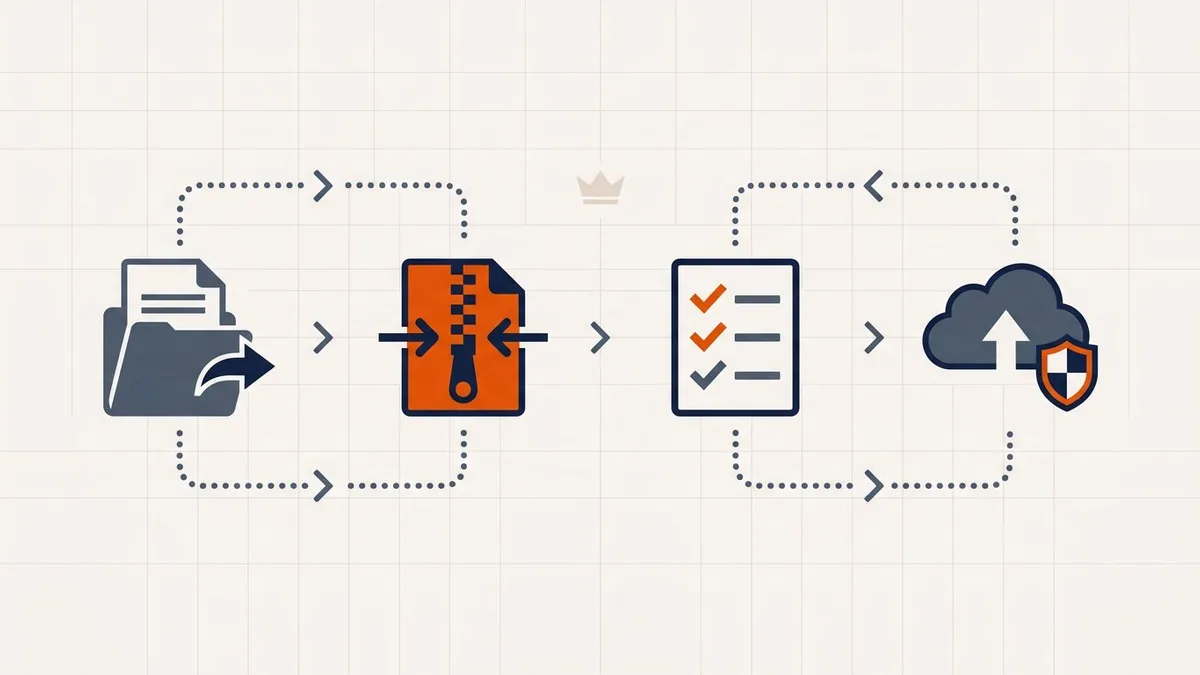
Document preparation in BytesPDF stays in your browser; submitting evidence to the official visa service is a separate upload to that service. Local processing does not eliminate the need to secure your device or verify the recipient.
The upload finished, but the file is missing
Do not immediately assume you need stronger compression. First check:
- Did you finish the required upload, confirmation and submission steps?
- Is the file in the correct category and the saved document list?
- Does the portal display a size, format or filename error?
- Did the session expire or the connection interrupt the operation?
If the saved entry cannot be confirmed, follow the provider's help instructions. Avoid refreshing while an upload is still running. After saving, revisit the document list and, where possible, open the attached copy. For filename errors, see PDF upload rejected because of its filename. If the portal refuses the file outright with a format or validity error, the file itself is usually the problem rather than its size — fixing an "invalid PDF" upload error walks through the structural causes, and Check PDF reports what a recipient's validator will see. Keep confirmation or receipt details according to your portal's instructions.
Before you submit
- Correct provider, country and application route confirmed through GOV.UK or the application link
- Current maximum, accepted formats, deadline and submission steps checked in the account
- Evidence arranged using the actual application categories
- Every required page and both sides of two-sided evidence included
- Original signed or interactive documents preserved where required
- Final PDF size and legibility checked after any merge or compression
- Saved attachments confirmed, not just a completed progress bar
- Passport, appointment confirmation and paper requirements checked separately
- Barcode sheets used only for a scanning route that requests them
Official sources and review
Public guidance reviewed September 30, 2026:
- GOV.UK: UK Visa and Citizenship Application Services — in-country upload and scanning options, appointment documents and the current service-point link.
- TLScontact: UKVCAS service points — the operator linked from GOV.UK at review time.
- GOV.UK: find a visa application centre — country-specific services for applications outside the UK.
- VFS Global: Pakistan-to-UK supporting documents — checklist-led self-upload and scoped scanning instructions, including linked barcode separators.
Check your own account before each submission. Recheck these sources if the provider, interface or instructions change; this review is not a verification of every UK visa portal or a promise of acceptance.
Frequently asked questions
What are the UKVCAS document upload categories?
Use the labels and checklist shown for your own application. Identity, financial, work or study, relationship and accommodation evidence are useful organisational groups, not a universal set of mandatory UKVCAS categories.
What is the file size limit for UK visa uploads?
Check the maximum shown on the upload page linked to your application. The public GOV.UK and VFS supporting-document guidance reviewed for this guide does not establish one universal cap for UKVCAS, VFS Global or every UK visa route.
Why did my UK visa document upload disappear?
An absent file does not prove a size problem. Check whether you completed the portal's upload and submission steps, then inspect any size, format or filename error and your session status. Confirm the file appears in the saved document list; contact the provider if it still does not.
What file formats do UK visa portals accept?
Follow the accepted extensions on your own upload screen. Use PDF for a multi-page document only where it is accepted, and convert unsupported source formats before uploading. A filename ending in .pdf does not turn another format into a PDF.
How small can I compress a UK visa bundle?
There is no reliable size prediction from the visa category or page count alone. Image-heavy scans may shrink more than digital text documents. Set a target from your portal's actual limit, keep the original, and inspect every page of the downloaded copy.
What is a UK visa barcode separator sheet?
It is a category divider used in specified paper-scanning workflows. VFS publishes separators for some assisted or sponsor-scanning routes. Use the sheets linked by your own centre and keep them separate from your evidence PDFs unless your upload instructions explicitly require otherwise.
Should UK visa documents be printed back to back?
For assisted scanning, single-sided copies are a practical precaution unless your centre instructs otherwise; this is not a universal UKVI rule. For self-upload, focus on complete digital files. You must still follow the appointment's passport, confirmation and other paper requirements.
Can I merge documents for UKVCAS or VFS Global?
Merge pages of one document, or a category bundle, only when the upload instructions permit it. Do not combine unrelated categories just to make one file. BytesPDF merges supported unsigned, unencrypted PDFs locally, but does not guarantee portal acceptance or preservation of document-level forms and bookmarks.
Related comparisons
Source-led comparisons written by BytesPDF, with the conflict of interest disclosed on each page. They link official provider documentation rather than fabricated tests.