
OCR Reads Across Columns (Jumbled Two-Column Text)
The PDF looks perfect. Copy-paste and OCR spit sentences that jump the gutter mid-line. Column layout is a spatial problem being flattened into a linear stream.
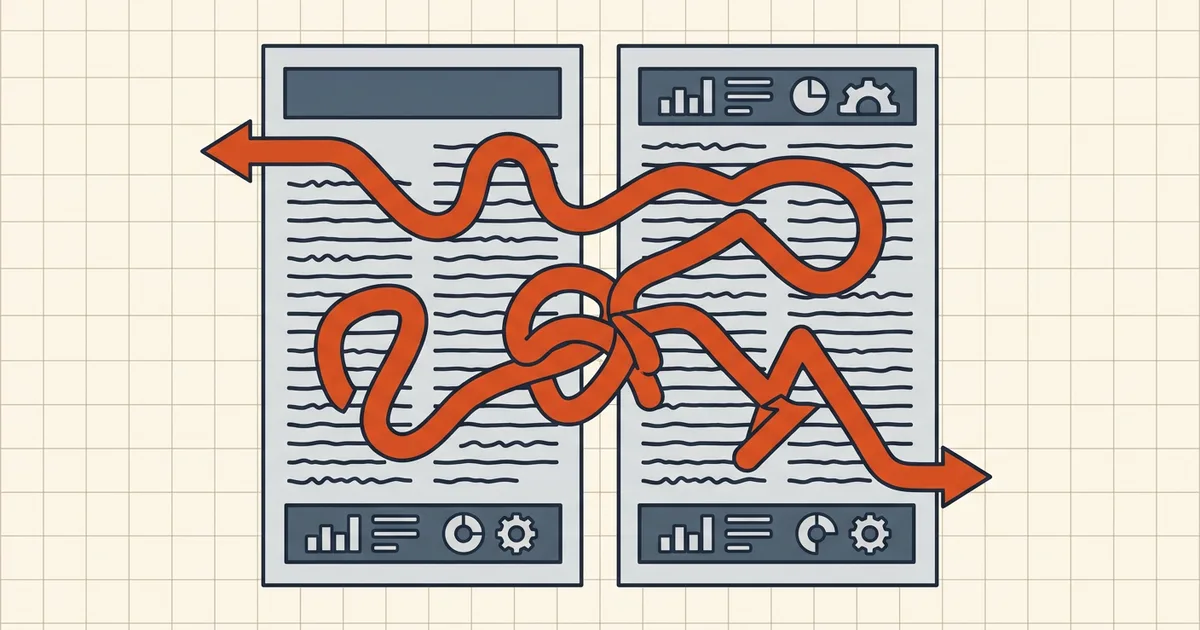
Highlight looks linear on screen. The clipboard disagrees — sentence fragments from column B insert themselves into column A. Welcome to the gutter problem.
Why linear extraction lies
| Layer | What it stores | What naive extract does |
|---|---|---|
| Rendered page | Spatial glyphs | Looks perfect in every viewer |
| Content order / OCR blocks | Author or engine sequence | May zigzag or merge rows |
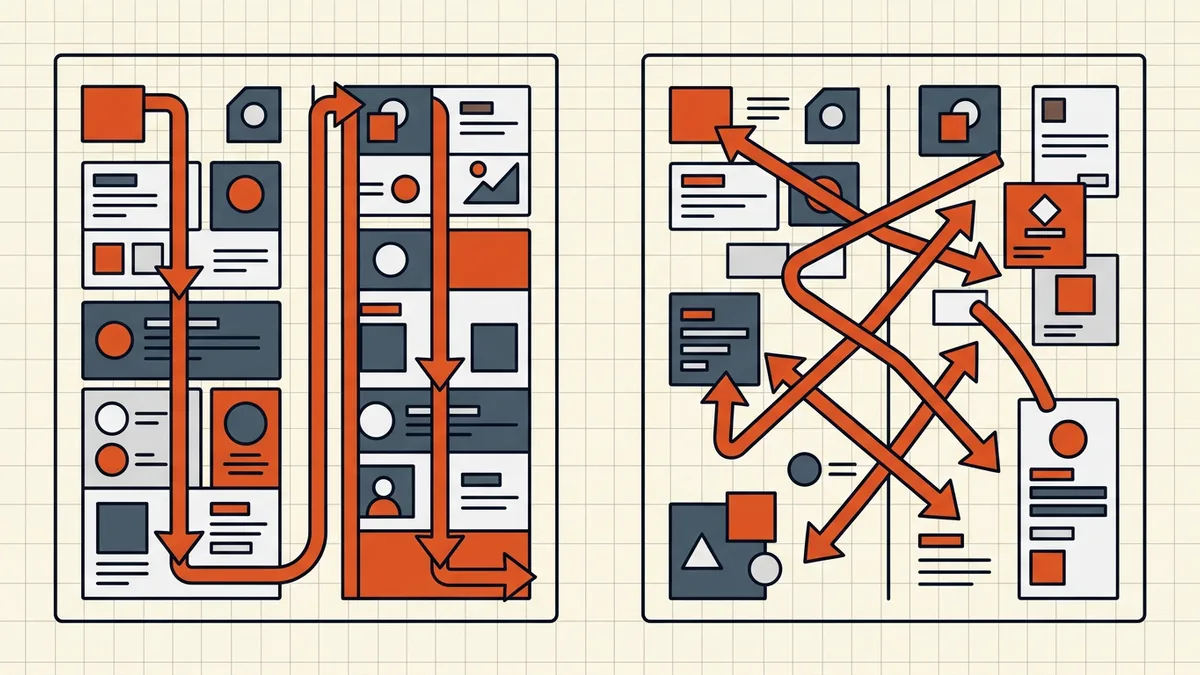
| Naive Y→X sort | Coordinates | Merges same-height words across columns |
| Layout-aware extract | Column detection | Approximates human reading order |
Fixes by situation
- Born-digital PDF: try a layout-aware extractor or "reading order" mode;
verify a right-column-only phrase.
- Scan + OCR: re-run with column detection / article detection when
available; confirm before trusting a full-document dump.
- RTL columns (Arabic/Hebrew newspapers): order is right-column-first —
force direction or post-process with a layout model; default LTR sort will invert the page.
- AI/note pipeline: after order is sane, strip headers/numbers and hyphen
artifacts (clean extract, line breaks).
Related failure classes
| Symptom | Guide |
|---|---|
| Hyphens / hard breaks / column interleave cleanup | Line breaks |
| Search misses visible words (ligatures, OCR junk) | Ctrl+F fails |
| Handwriting / mixed print | Handwritten limits |
| General OCR quality stack | Accuracy tips |
Honest BytesPDF scope
OCR ships as a local recognition pass (tool page = source of truth). We document column-order risk because a searchable layer with wrong sequence is still wrong — verify multi-column pages after every OCR run.
Verification protocol (five minutes)
- Pick a phrase that exists only in the right column, halfway down page 2.
- Search it in the PDF (find bar).
- Extract/copy full page; locate the phrase — did the surrounding sentence
stay intact?
- Fail → switch engine/mode; re-run; do not hand-fix 40 pages.
Dense-layout tips
- Newspapers and journals: enable article/column detection when offered.
- Tables inside columns: treat as a separate extraction problem
- After order is good, strip running headers and hyphen joins
(line-break cleanup, clean extract).
Sequence errors are invisible in the rendered PDF — always test with a right-column phrase, not by "looking at it."
Frequently asked questions
Why does OCR paste two-column PDFs in the wrong order?
Extractors walk content streams or sort words by Y then X — fine for one column, wrong for two: left-column words at height Y merge with right-column words at the same Y. OCR engines also emit blocks in their own sequence. The page still renders correctly; the linear read is the casualty.
How do I fix jumbled column text?
Prefer tools with layout-aware reading order (column detection, sort-by-column modes). Manual path: extract with bounding boxes, split on the gutter x-coordinate, concatenate left column then right. For screens, re-OCR with column detection enabled rather than patching strings.
Is this a problem with my PDF or with the tool?
Neither exactly — it's the PDF→linear-text mapping. Naive tools are honest about being naive; layout-aware tools cost more effort. Vision models and modern OCR can do better but still need a verification pass on dense layouts.
Does BytesPDF OCR handle multi-column layouts?
OCR adds a searchable text layer locally (tool page behavior). Always spot-check a two-column page after OCR — search a known phrase that sits entirely in the right column. If hits feel 'off,' compare against the accuracy-tips checklist; column order issues are a layout class, not a glyph-accuracy class.
Copy-paste is broken but the file is born-digital — same fix?
Born-digital multi-column often suffers the same Y-X merge in naive extractors. Cleanup of hyphens and hard breaks is the [line-break guide](/blog/copy-paste-pdf-line-breaks); *sequence* errors are this guide. Do both: order first, then cleanup.
Related comparisons
Source-led comparisons written by BytesPDF, with the conflict of interest disclosed on each page. They link official provider documentation rather than fabricated tests.