
Extract a Table from PDF to Excel Without Jumbling the Columns
The invoice looks like a grid; Excel receives a text river. Why PDF tables break on copy — and the extraction routes that rebuild rows and columns worth trusting.

Your eyes see a table. Your clipboard sees a poem. The gap between those two perceptions is every ‘columns scrambled’ forum thread since 2003.
Why it breaks
PDF text operators paint glyphs at coordinates — no /Cell objects, no column types. Extractors must reconstruct geometry into structure. Reconstruction succeeds on simple ruled tables and improvises badly on spanning headers, wrapped cells, and borderless layouts.
Route decision tree
Is the PDF digital (selectable text)?
├─ No → OCR first → then treat as "yes, with errors"
└─ Yes
   ├─ Table simple, few pages → select + Paste Special + Text to Columns
   ├─ Table messy / multi-page → Word bridge (open PDF in Word) → copy table → Excel
   ├─ Must be automated often → table-aware export in a PDF editor, or code libs (tabula/camelot-class)
   └─ Copy blocked → permissions diagnosis (owner flags) before anything else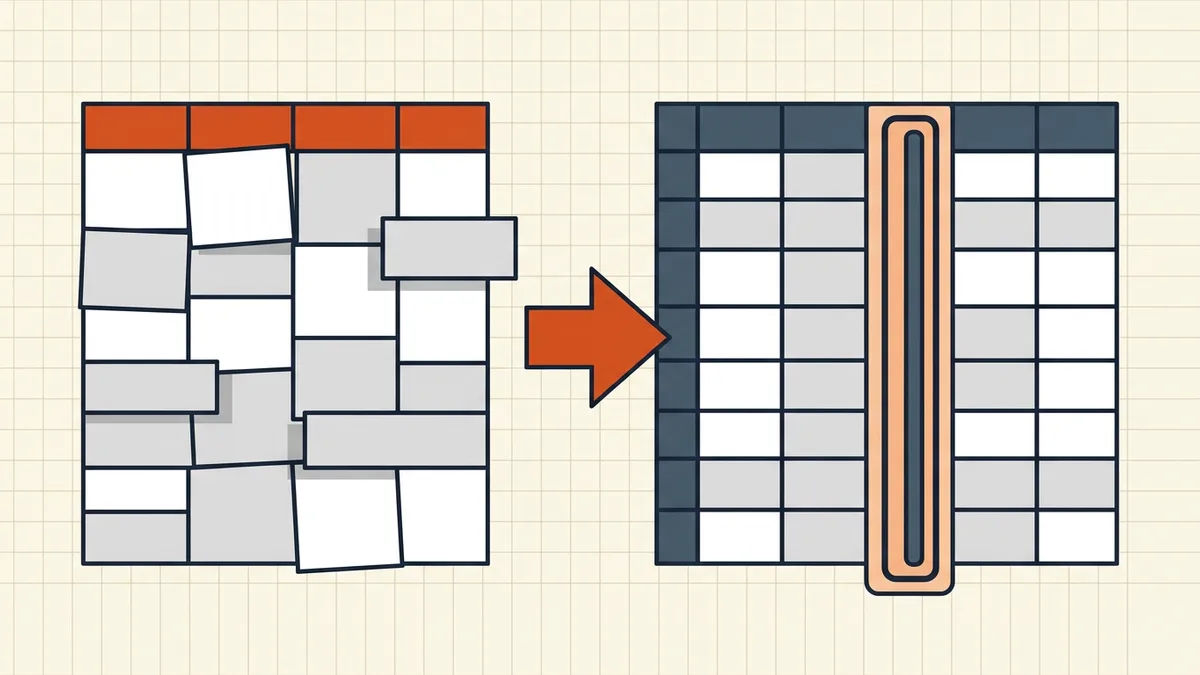
Scans (the hard mode)
Image tables aren't copyable at all — OCR creates text, but layout recovery still needs table smarts. Budget manual cleanup for money columns; hand-reconciliation beats pretty-but-wrong imports. Handwritten cells are a human job (handwriting limits).
Cleanup checklist before you trust the sheet
- Row count vs source page count
- Column headers aligned (no header/data bleed)
- Currency symbols/decimals parsed as numbers
- Dates in your locale, not a frankenstein of both
- Totals footed against the PDF's printed totals
- Merged-cell sections handled deliberately
- Nothing sensitive left in hidden sheets if you reshare (metadata mindset)
Excel-bound files inherit the usual exit care: if you re-export to PDF later, mind cut-off columns and hidden rows/formulas — extraction is half the round trip.
Honest BytesPDF scope
BytesPDF does not extract PDF tables to Excel. Our converter runs Excel → PDF (grid printing, cached values). PDF→structured-data belongs to editors, OCR+table tools, and code libraries — documented gap beside split/booklet/HEIC/word-count non-features.
Round-trip note
Excel → PDF is a print projection (our converter's behavior: every sheet, grid layout, cached values). PDF → Excel is an inference problem — never expect the inverse fidelity. Keep the spreadsheet as master whenever you own the data; use PDF tables as read-only references, not as a database.
Which route for common documents
| Document type | Starting route | Expect cleanup? |
|---|---|---|
| Clean bank/billing PDF (digital) | Table-aware export or Word bridge | Light — still foot totals |
| Government statement (scan) | OCR → table extraction | Medium-heavy on wrapped lines |
| Academic paper table | Select + paste special | Medium — multi-line headers |
| Multi-page ledger | Editor export, page by page | Yes — split by page, then stack |
No route is fire-and-forget on money data; the table only tells you how much review to schedule.
Frequently asked questions
Why does copy-paste destroy PDF tables in Excel?
PDFs don't store cells — they store characters at x/y coordinates. Clipboard export usually yields a reading-order stream; Excel drops it into one column (or tab guesses that mangle headers). Reconstructing the grid is a separate, imperfect job.
What's the best way to get a PDF table into Excel?
Native digital PDF: try table-aware export in a PDF editor (paid tier usually), or open in Word which often detects tables, then copy to Excel. Simple tables: select → paste special → text, then Text to Columns. Scans: OCR first, accept more cleanup. Always reconcile totals against the PDF.
Can Excel open a PDF directly?
Power Query / Get Data paths exist in some versions for table-like PDFs — results vary by structure. Treat any automated import as a draft: headers, merged cells, and multi-line breaks are where machines quietly lie.
How do I fix numbers imported as text?
Select range → convert to number (warning icon or VALUE()), fix date locales, strip thousands-separators Excel misread. This is normal post-extraction hygiene, not a sign the whole method failed.
Does BytesPDF extract tables to Excel?
No. BytesPDF converts **Excel → PDF** (print-oriented), not PDF tables → Excel (documented boundary). Adjacent help: OCR so text exists, copy-restriction diagnosis when selection is blocked, check-before-send when you're shipping the spreadsheet instead.
Related comparisons
Source-led comparisons written by BytesPDF, with the conflict of interest disclosed on each page. They link official provider documentation rather than fabricated tests.