
How to Share Scanned Documents Securely with Your Team
The scan is done — now it travels through six inboxes, three chat threads and someone's desktop. A cleaner way to hand documents around without the sprawl.
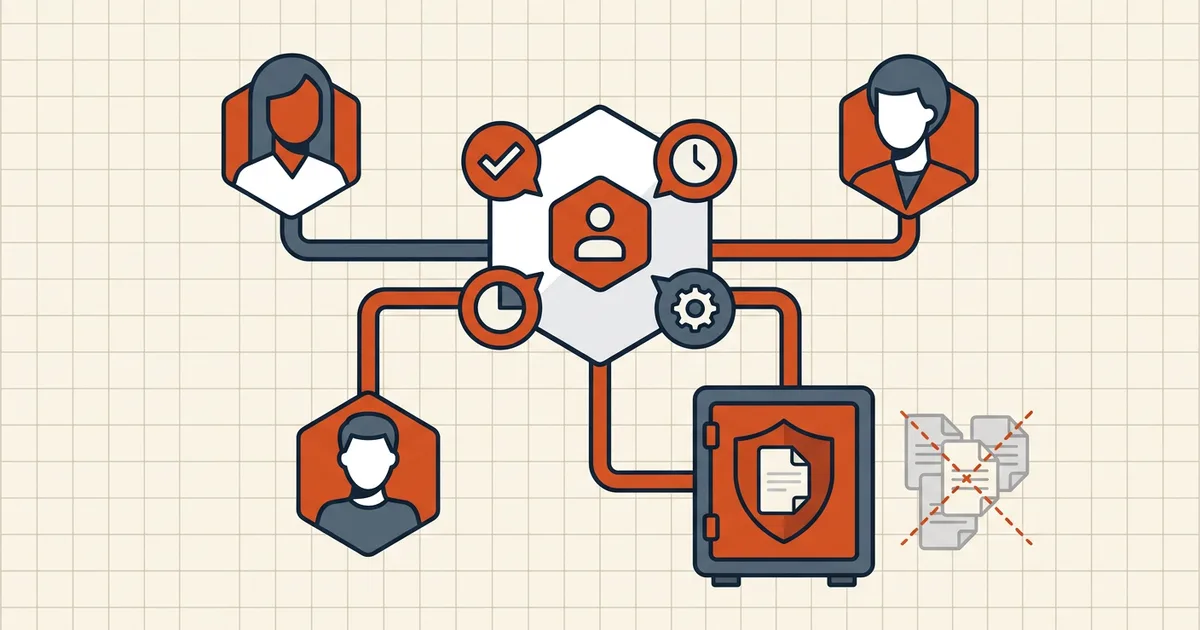
The scan finishes and immediately starts multiplying: attached to an email, dropped in a chat, downloaded, re-forwarded "for visibility," saved to two laptops and a shared drive. Six months later nobody can tell you where the copies are. Secure sharing starts with a mindset shift — coordinate around the document; stop shipping copies of it.
Why the default pattern fails
- Copy sprawl. Every forward is a new leak surface you no longer track or can revoke.
- Uncontrolled processing. Somebody "just compresses it" or "quick OCRs it" in the first tool they find — handing a stranger's server the medical record or the signed statement (what to ask PDF tools).
- Unhardened transit. Raw attachments hit size limits, get stripped by gateways, or bounce back — prompting more forwarding hacks.
- Version fog.
scan_v2_final_signed(1).pdfin three threads means nobody knows the real final (the naming fix).
The pattern: one canonical file, shared activity
1. Prepare the file once, locally. Clean it (metadata, attachments, hidden layers), redact anything that shouldn't travel, compress if size matters (target size), and protect if the content warrants it. Run this on-device — the unredacted original never needs a server (browser-local architecture).
2. Share a reference, not an attachment. One canonical copy lives where access is explicit — a permissioned drive, a link with expiry, a workspace. Everyone else gets the link (plus password out-of-band if protected), not Copy #7.
3. Share activity around the document. Handoffs, status, review notes belong in a layer of their own — not buried in reply-alls. BytesPDF Team Workspace is built on this principle: share activity and notes, not document contents — the files themselves stay out of the shared surface entirely.
4. Keep a kill switch. One location, revocable access, one deletion when the matter closes. Try doing that with forwarded attachments — you can't.
What each participant does
| Role | Does | Doesn't |
|---|---|---|
| Scanner/originator | Cleans, redacts, protects locally; uploads the final to the canonical spot | Emails raw scans to the group |
| Reviewer | Opens the canonical copy; leaves notes/activity in the workspace | Downloads, edits locally, re-forwards |
| Approver | Verifies, signs the canonical file last (workflow) | Accepts unsigned "final" versions from chat |
| Team lead | Sets the naming convention and the single shared location | Lets five shadow copies persist |
The one-time checklist before sharing
Content pass → hidden layers → metadata → size → protect → sign (if it's an instrument) → share the cleaned copy as the only copy. The consolidated outbound list is what to check before sending a PDF; the privacy evaluation of any tool in the chain is in privacy risks of online PDF tools.
Frequently asked questions
What's the safest way to share a scanned document with a team?
Minimize copies: clean the scan (metadata, hidden layers, redactions), protect it if it's sensitive, and share through one controlled channel where access is explicit — rather than forwarding attachments through inboxes and chats. Keep the sensitive processing on-device so the original never sits on a third-party server.
Why is email forwarding bad for document security?
Every forward multiplies copies: you lose the count, the locations, and often the ability to revoke access. Old threads resurface in exports and migrations. Fewer copies means fewer leak surfaces and one place to delete when the project ends.
Should I password-protect a scan before sharing it?
If the content warrants it — yes, with an AES-256 open password delivered out of band (not in the same message). Remember the password is the lock; permission flags alone are advisory ([owner vs user password](/blog/pdf-owner-password-vs-user-password)).
What about the privacy of processing the scan?
Anything that touches the file sees it: compressors, OCR, converters. Prefer browser-local tools for sensitive documents so processing stays on your machine ([architecture compared](/compare/browser-local-vs-server-based-pdf-tools), [privacy questions](/blog/privacy-risks-online-pdf-tools)).
How does a team workspace help?
A shared workspace coordinates *who did what* — activity, notes, handoffs — without requiring every participant to hold their own copy of the underlying files. Fewer circulating originals, clearer accountability. BytesPDF's Team Workspace follows exactly this 'share activity, not documents' model.
Related comparisons
Source-led comparisons written by BytesPDF, with the conflict of interest disclosed on each page. They link official provider documentation rather than fabricated tests.