
Mortgage Application Documents: What to Upload and How to Keep Each File Under the Limit
Lenders ask every borrower for the same packet — pay stubs, W-2s, bank statements, tax returns, ID — but almost none publish an upload size limit. Here is the full checklist, where the real limits hide, and how to prepare each file.
A mortgage application is a document-collection exercise wearing a loan decision as a disguise. Lenders publish detailed checklists of what they want — and then give you an upload button with no stated size limit, no format guidance, and an underwriter who rejects blurry scans without explanation.
The document checklist
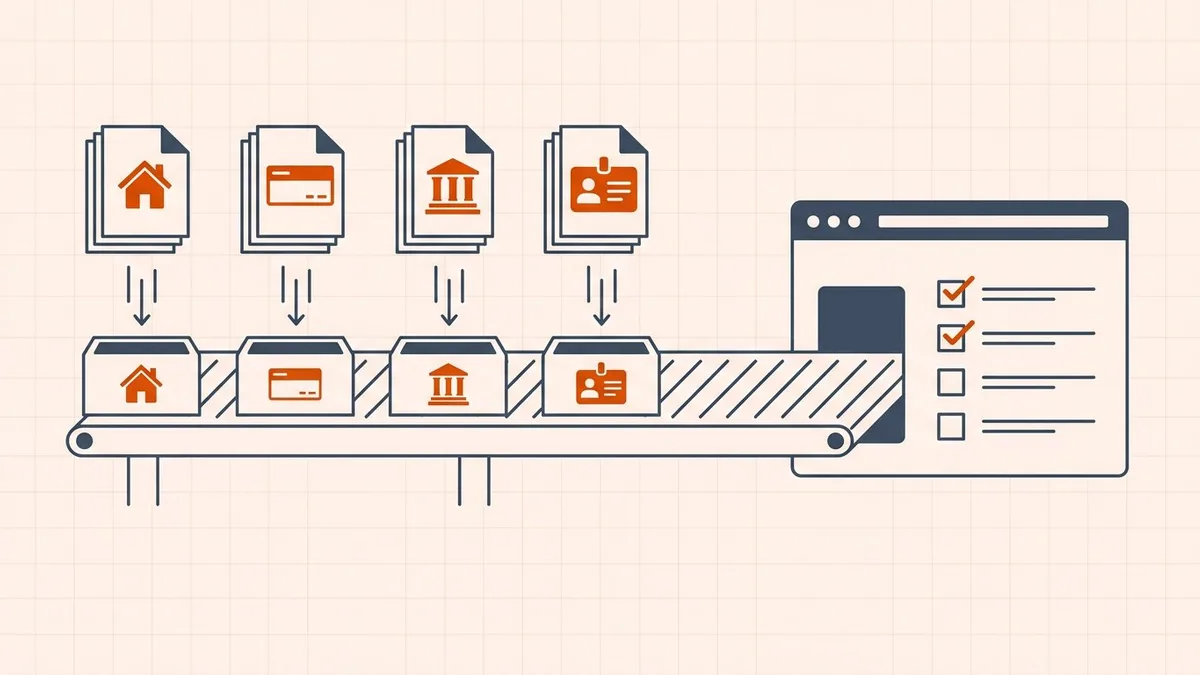
Every major lender checklist converges on the same packet. The table below follows the Rocket Mortgage preapproval checklist, the 2026 Supermoney application checklist, and Credit Karma's home-loan documents guide.
| Document | What lenders typically ask for | Why they want it |
|---|---|---|
| Photo ID | Driver's license or passport | Identity and legal residency |
| Pay stubs | Last 30 days | Current income and employment status |
| W-2 forms | Past 2 years | Consistent income and withholdings |
| Federal tax returns | Past 2 years | Full income picture, especially variable income |
| Bank statements | 2–3 months, every page | Down-payment funds, reserves, cash flow |
| Investment and retirement statements | Most recent quarterly | Reserves and financial stability |
| Debt statements | Auto, student, and credit-card statements | Debt-to-income ratio calculation |
| Gift letter | Signed letter stating the money is a gift, not a loan | Down-payment sourcing rules |
| Current mortgage statement | If you already own a home | Equity, balance, and payment history |
Two common add-ons:
- Self-employed borrowers add business tax returns for the past one to two years, a current-year profit-and-loss statement, a balance sheet, and 1099 forms.
- VA loan applicants add a Certificate of Eligibility and DD Form 214.
Your lender's list governs — this is the starting packet, not a promise that nothing else will be requested. Underwriters routinely come back for one more statement or a letter explaining a large deposit.
The limit nobody publishes
Here is the strange part: the borrower portals lenders actually use — the upload screens from vendors like Blend and Encompass Consumer Connect — do not publish per-file caps publicly. We checked. So the question "what is the file size limit for mortgage uploads" has no single authoritative answer, which is why no authoritative page exists for it and why uploads fail silently.
The caps hide in the surrounding systems instead:
| System | Published or reported rule | Who it applies to |
|---|---|---|
| A lender's borrower upload page | 25 MB per file, 10 files per submission (example) | You, at upload time — but every lender differs |
| Closing and e-sign platforms | Individual files under 30 MB (Proof) | You, at signing time |
| Verification and KYC portals | Often single-digit megabytes | You, when a third-party verifier pulls documents |
| Fannie Mae Loan Quality Connect | Single merged PDF, max 400 MB or 3,000 pages | Your lender's staff, downstream — never you directly |
| Email fallback | ~25 MB per message | You, only if you ignore the advice below |
Treat 5 MB per file as the safe line when your portal states no limit: small enough for the strict portals, trivially achievable for text documents, and far below the generous ones. And always read the upload page itself first — a stated limit beats any guidance here.
What happens to your files after upload
Understanding the downstream explains half the nagging. Your uploads travel from the loan officer to processing to underwriting, and eventually the closed loan file is delivered to investors such as Fannie Mae. Fannie Mae's bulk-upload specification requires the complete file merged into a single PDF at 8.5×11 in or 11×14 in page size, with PDF Portfolio format explicitly disallowed and Word and Excel files rejected. Its published FAQ adds the naming convention (<LoanNumber>_LoanFile.pdf), the 400 MB ceiling, and the 250 MB penalty for wrongly named files.
You will never log into that system — it is lender-facing. But it shapes what your lender asks of you:
- Name files clearly.
Garcia_BankStatements_Jun-Aug.pdfsurvives a pipeline;scan0017.pdfinvites misfiling. - One document per file unless told otherwise. Do not staple your ID, pay stub, and tax return into one mystery bundle.
- Keep page sizes standard. Letter or A4; phone photos pasted at odd sizes cause trouble downstream.
Handling each document type
Not every document wants the same treatment:
| Document | Best source | Handling notes |
|---|---|---|
| Bank statements | Digital download from online banking | Small, searchable, and sharp. See compress bank statements for online portals. Never photograph printouts. |
| Pay stubs | Payroll portal download | Usually tiny files; merge months in chronological order if the portal wants one file. |
| Tax returns and W-2s | Preparer PDF or IRS transcript | Text-heavy and small; multi-year files rarely need compression. |
| Photo ID | Color scan at 300 DPI, both sides | Must stay legible — this is the one document where quality beats size. |
| Gift letter | Signed on paper, then scanned | Keep the signature legible; confirm whether your lender wants ink or accepts e-sign. |
| Self-employed P&L | Preparer or accounting-software PDF | Export digitally rather than scanning a printout. |
The pattern: a digital original always beats a scan of a printout. A statement downloaded from online banking is typically well under a megabyte and stays searchable; the same statement photographed page by page balloons into the tens of megabytes and arrives crooked. There is no guaranteed output size for six months of statements. For a separate immigration submission, our UK visa guide explains how to confirm the actual account limit and inspect financial evidence.
Getting an oversized file under the limit
Work through these in order:
- Get the digital original. Before touching any tool, check whether the document exists as a download — bank portal, payroll system, tax preparer, broker. This single step fixes most oversized files.
- Scan correctly if you must scan. 200 to 300 DPI is enough for text; color only for ID and stamped pages. A 600 DPI color scan of a text page adds size without adding information an underwriter can use.
- Merge first, then compress. If the lender wants one file, combine the pages with the merge tool in the right order first, then reduce the result. Keep statements from different banks as separate files so each stays attributable.
- Compress a copy locally. Open the compress tool and reduce the file to fit, starting with Recommended mode. For how to choose a level and verify the result, follow how to reduce PDF file size online for free.
- Verify like an underwriter. Zoom to 200 percent and read account numbers, balances, and dates — not words, digits. Confirm every page is present and in order. Then upload, and keep the original.
If the file is still too large after all five steps, the problem is usually one embedded monster — a full-page color scan inside an otherwise digital file. Split that page out, handle it separately, and re-merge. If you are unsure what is bloating a file, why is my PDF so big walks through the 30-second diagnosis.
Portal, not email
When the portal misbehaves, the temptation is to email everything to the loan officer. Resist it:
- Email caps out around 25 MB — see Gmail's 25 MB attachment limit — so a full packet often bounces anyway.
- Unencrypted email is forever. A message carrying your Social Security number, account numbers, and pay stubs sits in two inboxes, both providers' backups, and every device that syncs them.
- Portals create an audit trail. Underwriters and compliance systems track what arrived when; email attachments get lost.
If a loan officer asks for documents over email, ask for a portal upload link instead. If they insist, confirm the address by phone first — wire and document fraud targeting homebuyers is a real industry, and a spoofed "please send your statements here" message is how it starts.
Official sources
- Bulk upload of loan files or documents — Fannie Mae's job aid: single merged PDF at 8.5×11 in or 11×14 in, 400 MB or 3,000 pages maximum, no PDF Portfolio, no Word or Excel
- Loan Quality Connect FAQs — Fannie Mae's naming convention, 3,000-page ceiling, and 250 MB penalty for wrongly named files
- Proof file size and format requirements — 30 MB per file at closing, entire document as PDF at actual size
- Ultimate mortgage preapproval checklist — Rocket Mortgage's document list, including self-employed and current-homeowner add-ons
- Mortgage application checklist: documents you'll need in 2026 — category-by-category document table
- 7 documents to have when applying for a home loan — Credit Karma's seven-document starter set
Lender portals change without notice. If a submission matters, confirm the current requirement on the upload page itself rather than trusting a table — including this one.
Before you upload
- You pulled digital originals wherever they exist instead of scanning printouts
- Every statement includes every page, in order
- Each file is under 5 MB, or under your portal's stated limit
- Files are named by content, not
scan0017.pdf - Digits are sharp at 200 percent zoom — balances, dates, account numbers
- Nothing is password-protected, digitally signed-and-then-edited, or altered
- You kept the originals and saved the portal confirmation
Frequently asked questions
What documents do I need to upload for a mortgage application?
Most lenders ask for the same packet: photo ID, pay stubs from the last 30 days, W-2 forms and federal tax returns from the past two years, two to three months of bank statements, investment or retirement statements, debt statements for the debt-to-income calculation, and a gift letter if anyone is contributing to the down payment. Self-employed borrowers add business tax returns, a profit-and-loss statement, and 1099 forms.
Is there a file size limit for mortgage document uploads?
Borrower portals rarely publish one, which is exactly why uploads fail without explanation. Caps hide downstream instead: one lender's published upload page allows 25 MB per file with 10 files per submission, closing platforms cap individual files at 30 MB, and strict verification portals sit in the single-digit megabytes. When your portal states no limit, keep each file under 5 MB and confirm the requirement on the upload page itself.
How do I combine bank statements into one PDF for my lender?
Arrange the monthly files in order, merge them into a single PDF, then compress the result if it exceeds the portal limit. Keep statements from different banks as separate files so each one stays cleanly attributable. Never photograph printed statements when a digital download from online banking is available — the download is smaller, searchable, and sharper.
Why does my lender keep rejecting my uploaded documents?
The usual reasons are legibility, not size: phone photos taken at an angle, cropped or missing pages, glare across the numbers, password-protected files, and screenshots instead of full statements. Underwriters work from complete documents, so a statement that starts on page 3 of 9 will be sent back. Send every page, keep digits sharp at 200 percent zoom, and remove passwords before uploading.
Should I email mortgage documents to my loan officer?
Use the lender's portal, not email. Email caps attachments at around 25 MB, and an unencrypted message carrying your Social Security number, account numbers, and pay stubs is an identity-theft risk in both inboxes forever. If a loan officer asks over email, ask for a portal upload link instead.
Do lenders want original documents or copies?
Scans or digital downloads of your originals are the norm — nobody mails their passport to a lender. Keep the originals; some closing processes ask to see them later. What matters is that the copy is complete, legible, and unaltered.
Related comparisons
Source-led comparisons written by BytesPDF, with the conflict of interest disclosed on each page. They link official provider documentation rather than fabricated tests.