
PDF Signature Timestamps Explained (and Why Ours Don't Include One)
Without a timestamp, a signature's validity is evaluated 'as of now' against certificate status. With one, the moment of signing is proven independently. Here's the mechanism — and exactly what our signer does.
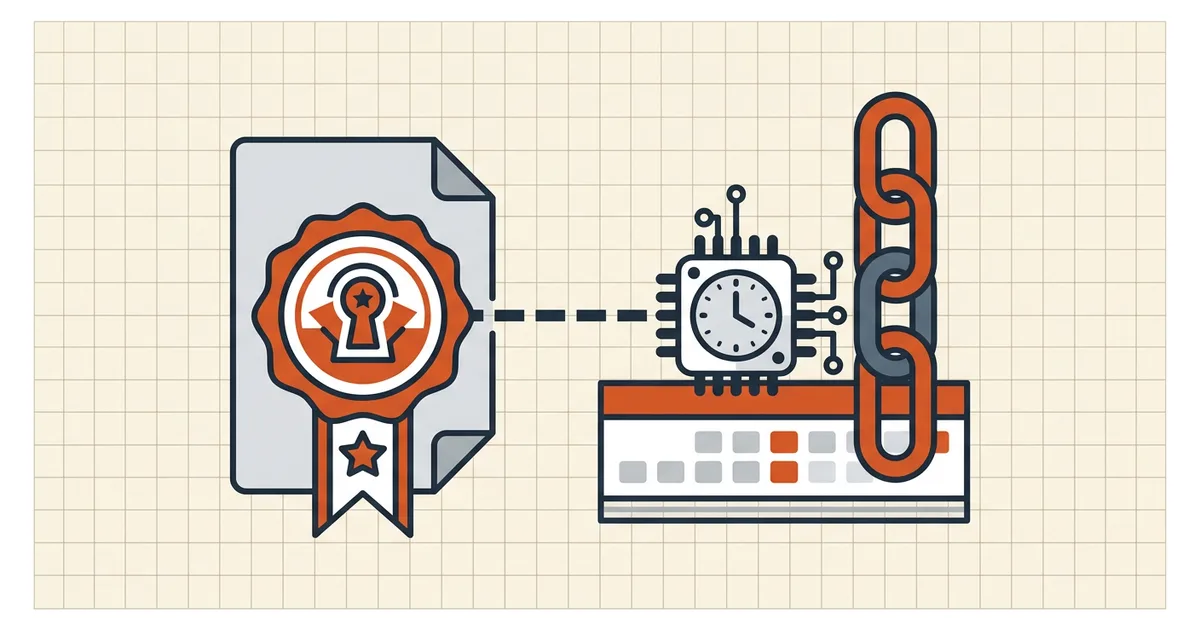
Sign a PDF today; open it in five years. Will the signature still prove anything? That question is what timestamps answer — and it's also where we tell you plainly what BytesPDF's signer does and does not do.
The problem a timestamp solves
A digital signature binds: document hash + signer's certificate + trust chain. At verification, the checker asks: was this certificate valid at the signing moment? Without trusted evidence of that moment, the checker can only use now (or a time you manually pick). If the certificate has since expired or its revocation status changed, "valid now?" may fail for a signature that was good then.
A timestamp token fixes the moment: a Timestamp Authority (TSA) countersigns a hash of your signature with its own trusted clock. Years later, validation can evaluate the certificate chain as of the timestamped instant — expiry after signing no longer breaks the proof.

RFC 3161 in one paragraph
The standard flow (RFC 3161): the signer (or editor) sends the TSA a hash of the signature value; the TSA returns a countersigned token with its time and policy OID; the PDF embeds that token in the signature's Timestamp entry. Verification then checks two signatures — yours and the TSA's — plus each certificate's status at the token time. That's the long-term validation pattern (often paired with archival validation information: certificates and revocation evidence embedded for offline checking).
What BytesPDF Sign does (honest scope)
Directly from our signing path: PKCS#7 detached signature over the document hash. No TSA call. No RFC 3161 token.
What you get:
- cryptographic integrity — any byte change after signing breaks the signature;
- signer identity bound to the certificate you signed with;
- validation rules identical to any other unsigned-TSA signature: certificate status matters at check time (invalid signature causes).
What you don't get:
- independent trusted signing time;
- automatic survival of the proof past certificate expiry/revocation for validators that require it.
If your requirement is contract-grade long-term non-repudiation (litigation holds, regulated archives), use a signing workflow that includes a TSA — Acrobat's PKCS#1 timestamping, an eIDAS qualified signing service, or a CLI pipeline that adds RFC 3161 after signing. We'd rather say that here than let a checkbox imply it.
Timestamps vs the fields readers show
| What you see | What it is | Evidentiary weight |
|---|---|---|
| "Signing Time: Sep 23, 2026" in the signature popup | Often application-claimed local time | Weak alone — a field, not a proof |
| RFC 3161 Timestamp entry | TSA countersignature with trusted time | Strong — cryptographic, third-party |
Document ModDate metadata | File system/editor artifact | Not signature evidence at all |
Readers render all three with similar fonts; only the middle row changes validation math. When you verify someone else's signed PDF (verification guide), look for whether a timestamp token is present — its absence isn't a defect for short-term checks, but it matters for old or archival documents.
Choosing a path by requirement
- Everyday internal sign-off (approvals, one-off forms): an untstamped PKCS#7 signature + intact certificate chain is usually proportionate. Know the expiry date on your certificate.
- Long-lived contracts, regulated filings, archives: require TSA timestamps (or qualified signatures where law specifies) before the document is signed — you cannot reliably bolt trusted time onto history after the fact.
- Phone signing context: Markup "signatures" are drawings, not PKCS#7 at all (phone signing reality) — timestamps aren't the differentiator; signature type is (types compared).
Frequently asked questions
What is a timestamp on a PDF signature?
It's cryptographic evidence — usually RFC 3161 from a Timestamp Authority (TSA) — of when the signature was applied. The TSA signs a hash of the signature data with its own trusted clock, so the signing time doesn't depend on your PC's clock or on the certificate still being valid 'today.'
What happens if a PDF signature has no timestamp?
Validators evaluate the certificate chain as of verification time (or a time you select). If the signing certificate has since expired or been revoked, and no trusted time was embedded at signing, the signature may not validate retroactively — even if it was perfectly good when applied. See why signatures go invalid for the full failure list.
Does BytesPDF's sign tool add a timestamp?
No — and this is deliberate honest scope. BytesPDF produces a PKCS#7 detached signature over the document hash. It does not contact a Timestamp Authority and does not embed an RFC 3161 token. If long-term non-repudiation against future certificate status is your requirement, sign through a workflow that includes a TSA (or add one in a PDF editor that supports it).
Is a timestamp the same as the signing time in the signature fields?
No. The human-readable 'Signing Time' field is often just a claim from the signing application (your local clock). An RFC 3161 token is a third-party countersignature from a TSA — that's the evidence layer long-term validation relies on. Readers show both; validators trust only the cryptographic one.
Do qualified electronic signatures include timestamps?
Under eIDAS, Qualified Electronic Signatures typically rely on qualified trust services, and qualified signature creation devices commonly produce trusted time as part of the process. Exact behavior depends on the provider — for mechanics only, see our signature type comparison, and for your jurisdiction's requirements, check the applicable regulation or counsel.
Related comparisons
Source-led comparisons written by BytesPDF, with the conflict of interest disclosed on each page. They link official provider documentation rather than fabricated tests.